
PDF to HTML Converter – Convert PDF Files into Clean HTML Code Instantl
In today’s digital world, converting files into web-friendly formats is more important than ever. One of the most useful tools for developers, bloggers, and PDF to HTML converter. This tool allows you to transform static PDF documents into editable and responsive HTML code that can be easily used on websites.
If you are looking for a fast, free, and reliable way to convert PDF files into HTML, then you are in the right place. In this guide, we will explain everything you need to know about PDF to HTML conversion and how to use this tool effectively.
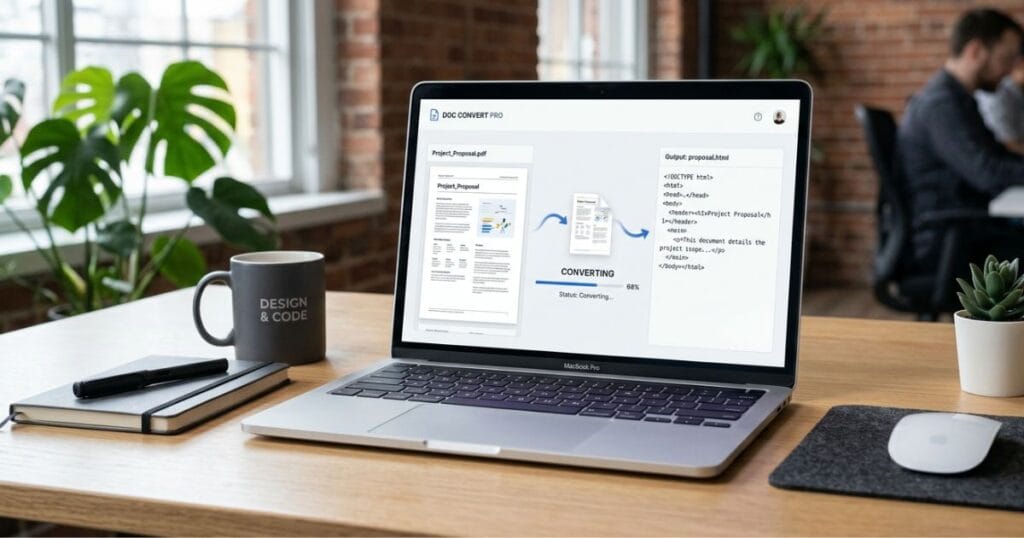
What is a PDF to HTML Converter?
A PDF to HTML converter is an online tool that converts PDF files into HTML format. HTML (HyperText Markup Language) is the standard language used to create web pages. By converting a PDF into HTML, you can display its content directly on your website.
This is especially useful for:
- Bloggers who want to publish PDF content online
- Developers working on web projects
- Businesses sharing reports or documents
- Students converting study materials
⚙️ How to Convert PDF to HTML Online
Using a PDF to HTML converter is very simple and does not require any technical skills. Follow these easy steps:
- Upload your PDF file
- Click on the “Convert” button
- Wait for a few seconds
- Download the HTML file
That’s it! Your PDF will be converted into clean HTML code instantly.
🚀 Key Features of PDF to HTML Converter
Here are some powerful features that make this tool highly useful:
✔ Fast Conversion
The tool processes your file within seconds, saving you time.
✔ High Accuracy
It maintains the original layout, fonts, and formatting.
✔ No Installation Required
You can use the tool directly in your browser.
✔ Mobile Friendly
Works smoothly on mobile, tablet, and desktop devices.
✔ Secure Processing
Your files are safe and not stored on the server.
💡 Why Use a PDF to HTML Converter?
There are many reasons why converting PDF to HTML is beneficial:
1️⃣ Easy Website Integration
HTML files can be directly added to your website without extra effort.
2️⃣ Better SEO
Search engines can read HTML content easily, improving your website ranking.
3️⃣ Editable Content
Unlike PDFs, HTML files can be edited anytime.
4️⃣ Faster Loading
HTML pages load faster compared to PDF files.
📊 PDF vs HTML – Which is Better?
Both formats have their own advantages:
- PDF: Best for printing and sharing documents
- HTML: Best for web publishing and SEO
If your goal is to display content online, HTML is the better choice.
🔐 Is PDF to HTML Conversion Safe?
Yes, most online tools ensure complete security. Files are processed securely and automatically deleted after conversion. You don’t need to worry about data privacy when using a trusted tool.
❓ Frequently Asked Questions (FAQ)
Q1: Is this PDF to HTML converter free?
Yes, this tool is completely free to use without any hidden charges.
Q2: Do I need to install any software?
No, everything works online in your browser.
Q3: Will formatting be preserved?
Yes, the tool keeps most of the original layout and structure intact.
Q4: Can I use it on mobile?
Yes, the tool is fully responsive and works on all devices.
🎯 Final Thoughts
A PDF to HTML converter is an essential tool for anyone who wants to bring their documents online. It saves time, improves accessibility, and helps in better content management. Whether you are a blogger, developer, or business owner, this tool can make your workflow much easier.
If you want a fast, secure, and easy solution, try our PDF to HTML converter today and turn your documents into fully functional web pages in seconds.